

Identity and Access Management for administrators (IAM)#
Introduction#
The operations available to administrators are defined based on a list of allowed actions targeting the managed SFTPPlus components.
The Identity and Access Management (IAM) configuration is implemented in SFTPPlus using the following configuration elements:
administrators - defines the authentication and the identity of administrators
roles - defines the allowed access for administrators.
Administrators configuration#
As a best practice, it is recommended to have an administrator configuration for each person interacting with SFTPPlus as an administrator.
Administrators can be defined inside SFTPPlus main configuration file or from external authentication methods such as LDAP, Active Directory, local operating system or cloud based SSO.
Check the Authentication configuration page for more details about the authentication methods that can be used to authenticate administrators.
When configuring an administrator, you define a name/username and a password.
Warning
Having multiple persons sharing the same administrator name and password is not recommended because it makes it harder to audit the actions of each administrator.
The configuration of an administrator also includes the associated role.
All the access permissions for the administrators are configured via the associated role.
Check the Administrators configuration page for more details about configuring administrators.
Role configuration#
When configuring a role, you define its name and a list of permissions.
By defining multiple roles, you can implement a separation of duties and have different levels of administrative access.
Each permission definition consists of:
an expression matching the permission target
a list of permission actions.
Write one definition per line, separating the target and actions with commas. An empty permission list grants full administrative access. If a definition contains only a target, its action defaults to all.
You can define a single permission-matching expression to target multiple configuration options or a class of configuration options.
For example, to create a role in which administrators are only allow updating the name of users and groups while denying updating any other option and creating or deleting groups, the following configuration can be used:
[roles/70c0-4e1d-8480]
name = allow-name-updates
permissions =
  configuration, read
  configuration/accounts/*/name, update
  configuration/groups/*/name, update
To only allow creating, deleting, and updating users and groups the following configuration can be used:
[roles/70c0-4e1d-8480]
name = user-group-administrators
permissions =
  configuration, read
  configuration/accounts/*, all
  configuration/groups/*, all
Check the Roles configuration page for more details about configuring roles.
Available permission targets#
The main target classes are:
configuration - configuration elements
operation - running components and their state
metrics - process metrics in Prometheus format
sync - full configuration synchronization for cluster nodes.
Available permission targets include:
me
configuration/accounts[/{UUID}]
configuration/groups[/{UUID}]
configuration/roles[/{UUID}]
configuration/administrators[/{UUID}]
configuration/cluster-pools[/{UUID}]
configuration/authentications[/{UUID}]
configuration/resources[/{UUID}]
configuration/security-policies[/{UUID}]
configuration/event-handlers[/{UUID}]
configuration/services[/{UUID}]
configuration/locations[/{UUID}]
configuration/transfers[/{UUID}]
configuration/vault-items[/{UUID}]
configuration/external-vault-items[/{UUID}]
configuration/node-variables
operation/authentications[/{UUID}]
operation/resources[/{UUID}]
operation/security-policies[/{UUID}]
operation/event-handlers[/{UUID}]
operation/services[/{UUID}]
operation/locations[/{UUID}]
operation/locations/{UUID}/browse/[{PATH}]
operation/transfers[/{UUID}]
operation/status
logs[/{UUID}]
reports
status
Values in square brackets are optional. Replace values in curly brackets with the actual UUID or path. Use the family names shown above in permission rules.
Node variables can only be targeted as a collection with configuration/node-variables. Individual node variable IDs are not supported as permission targets.
You can target a class of configurations, or any configuration of a certain type. The following examples are valid:
me/* - target any configuration of the current authenticated administrator
configuration/services/* - target the configuration of any service
configuration/services/FTPS-server-UUID/* - target any configuration for the service with UUID
FTPS-service-UUIDconfiguration/services/*/name/ - target all the name options for any service
configuration/services/FTPS-server-UUID/name - target only the name option for the service with UUID
FTPS-service-UUIDoperation/services/* - target the status of any service
operation/services/FTPS-service-UUID/* - target the status of the service with UUID
FTPS-service-UUID.
Access to logs (any activity logs) or logs/{UUID} (a specific activity log) only supports the read permission action. The {UUID} represents the database event handler identifier.
The following targets do not have a member UUID:
configuration/server
configuration/server/*
configuration/server/OPTION-NAME/
configuration/node-variables
operation/status
status
reports
There is a special permission target named sync used to configure synchronization between the cluster controller and the cluster nodes. Administrative roles assigned to real persons should not use this target.
Available permission actions#
all - allow any action
read - allow reading configuration values or component state
ini - allow exporting INI configuration, including plain text secrets
update - allow changing configuration values or component state, such as starting or stopping a component
create - allow creating configuration elements
delete - allow removing configuration elements
deny - deny any action for a matching target and stop checking further rules.
When all is combined with other allowed actions, it already includes them. When deny is combined with other actions in the same rule, it takes precedence.
Permission evaluation#
For a nonempty permission list, rules are checked from top to bottom. Rules whose target expression does not match the requested target are skipped. For a matching target, an explicit deny rejects the request immediately. Otherwise, all or the requested action permits it immediately. If the requested action is not listed, evaluation continues with the next rule. If no rule permits the action, the request is denied.
The order matters when using deny: it prevents later rules from granting access, but does not override an earlier rule that already permitted the action. Most roles do not need explicit deny rules because actions are denied unless allowed.
INI export permissions#
The ini action permits viewing and exporting configuration as INI text, which omits password options and vault items. Direct INI exports of vault items are rejected, even with ini permission. The read action alone does not permit INI exports.
For a component export, grant ini on its configuration path, such as configuration/services/SERVICE_UUID or configuration/server. For event handlers, use configuration/event-handlers/HANDLER_UUID. For a full export, grant ini on configuration.
The export checks permission at the requested path only. This grant covers all remaining options in a component export and all remaining sections in a full export. Restrictions on child paths do not filter the exported INI.
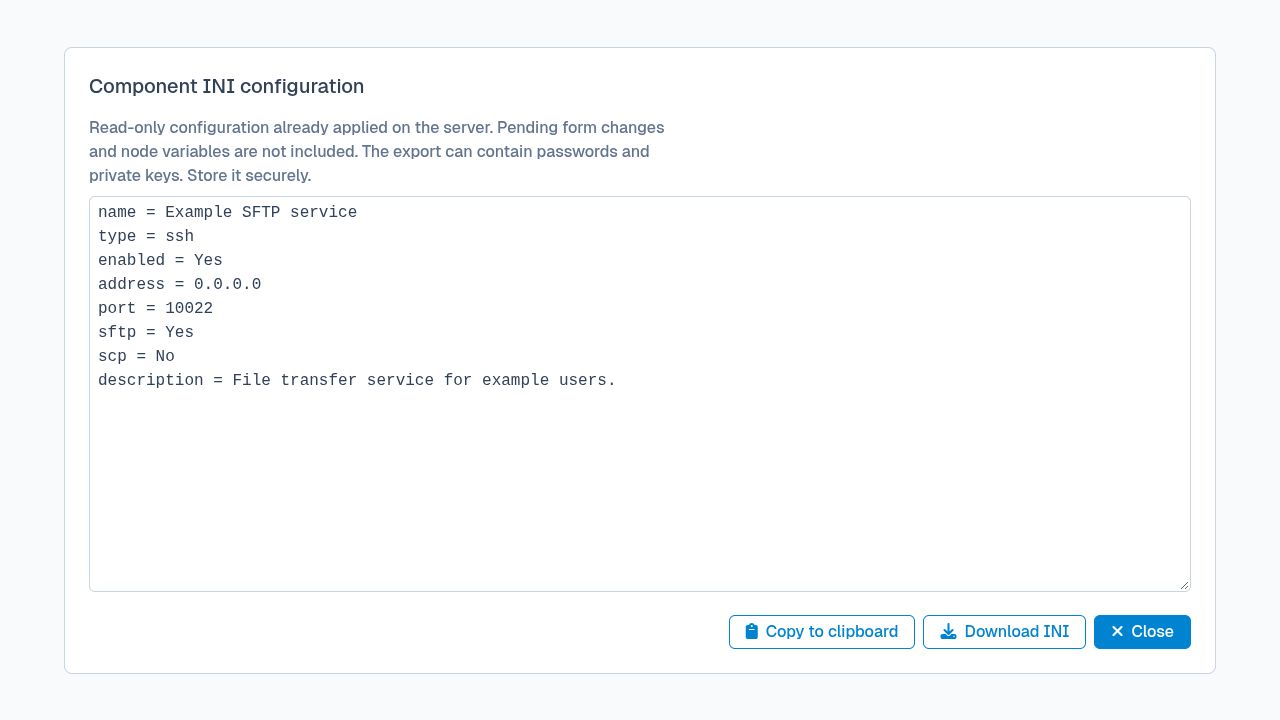
For example, this role allows reading configuration and exporting one service:
[roles/70c0-4e1d-8480]
name = service-ini-viewer
permissions =
  configuration, read
  configuration/services/SERVICE_UUID, ini
To allow full INI exports, replace the last permission with configuration, ini.
See Viewing and exporting INI from the Web Manager for details about the exported content and its limitations.
Multi-role permissions#
An administrator can have multiple roles, each with its specific set of permissions. When an administrator has multiple roles, their permissions are defined as the union of all permissions of their roles.
The order of permissions are defined by the order in which the administrator is associated to their roles.
For example, with the following configuration:
[roles/21951ed4-c281]
name = Transfers Operator
permissions =
  /operation/*, read
  /configuration/transfers/*, all
  /operation/transfers/*, all

[roles/94a9caefd093-4677]
name = Users Operator
permissions =
  /operation/*, read
  /configuration/*, read
  /configuration/accounts/*, all

[administrator/dca95a60-dca2]
name = John Admin
roles = 21951ed4-c281, 94a9caefd093-4677
The John Admin administrator will have the following permissions, based on the order in which the administrator roles are configured:
/operation/*, read
/configuration/transfers/*, all
/operation/transfers/*, all
/configuration/*, read
/configuration/accounts/*, all
Multi-role deny permissions#
An administrator with multiple roles accumulates all the permissions of those roles.
If you want to define a role that blocks accumulating permissions from other roles, you can use the deny permission action in that role. Then use that role as first in the list of multiple roles for one or more administrators.
For example, with the configuration below:
[roles/6b4b0fc2-e9c1]
name = Read Only Admin
permissions =
  /operation/*, read
  /configuration/*, read
  /operation/*, deny
  /configuration/*, deny

[roles/94a9caefd093-4677]
name = Users Operator
permissions =
  /operation/*, read
  /configuration/*, read
  /configuration/accounts/*, all

[administrator/dca95a60-dca2]
name = John Admin
roles = 6b4b0fc2-e9c1, 94a9caefd093-4677
When administrator John Admin is authenticated it will have the following permissions:
/operation/*, read
/configuration/*, read
/operation/*, deny
/configuration/*, deny
/configuration/accounts/*, all
Since the /configuration/*, deny is explicitly configured in the primary role Read Only Admin, it denies access to /configuration/accounts/*, all. In this way, the John Admin administrator remains a read-only account.
The order used to configure the roles associated to an administrator is important. In the above example, if the administrator is configured with Users Operator as the primary role (configuration roles = 94a9caefd093-4677, 6b4b0fc2-e9c1), the administrator has read/write access to accounts configurations.
Allow administrators to change own configuration (for example password)#
To allow an administrator to create, delete, and update users and groups without changing the configuration of other administrators, the following configuration can be used. The own prefix can be used to allow the administrator to change own configuration such as the password of the multi-factor authentication token:
[roles/70c0-4e1d-8480]
name = user-group-administrators
permissions =
  own/password_update, all
  own/multi_factor_authentication, all
  configuration, read
  configuration/accounts/*, all
  configuration/groups/*, all
Local-file authentication permissions#
To allow an administrator to manage accounts and groups from a specific local-file authentication method, use permission targets scoped to that authentication UUID.:
[roles/70c0-4e1d-8480]
name = local-file-user-group-administrators
permissions =
  configuration/authentications/*, read
  operation/authentications/*, read
  configuration/authentications/UUID-OF-THE-SHARED-AUTH/accounts/*, all
  configuration/authentications/UUID-OF-THE-SHARED-AUTH/groups/*, all
We will need to give read access to all authentication methods so that the administrator can discover the local-file authentication method. The read permissions are used to list available authentication methods and their status.
The account and group management permissions are granted via configuration/authentications/UUID-OF-THE-SHARED-AUTH/*.
Security policy permissions#
To allow an administrator to manage security policies, you will need to define the following role permissions.:
[roles/70c0-4e1d-8480]
name = security-policy-administrators
permissions =
  configuration/security-policies/*, all
  operation/security-policies/*, all
You can restrict the permissions to a specific security policy by using the UUID of that security policy instead of * in the permission target.
The operation permissions are used to allow administrators to start and stop security policies, as well as viewing the current list of blocked IP addresses and removing them from the list.
The configuration permissions are used to allow administrators to create, delete, and update security policies rules.